Docs
Quickstart
Author a prompt in the dashboard, then call it as a typed function from the host. CLI commands need the switchyards binary on PATH.
- 01
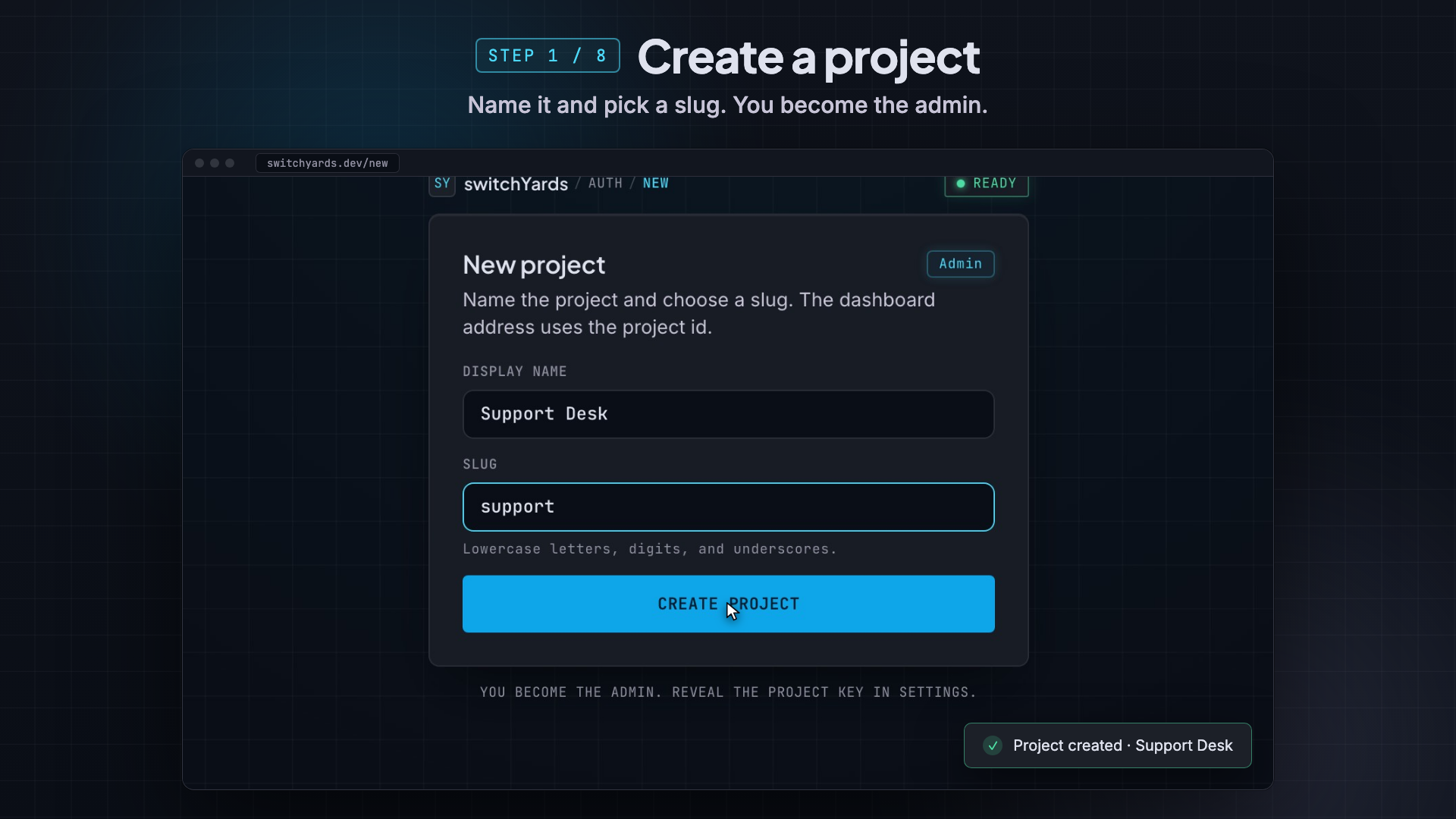
Create a project
Sign up, then create a project. The walkthrough uses Support Desk with slug support.
- 02
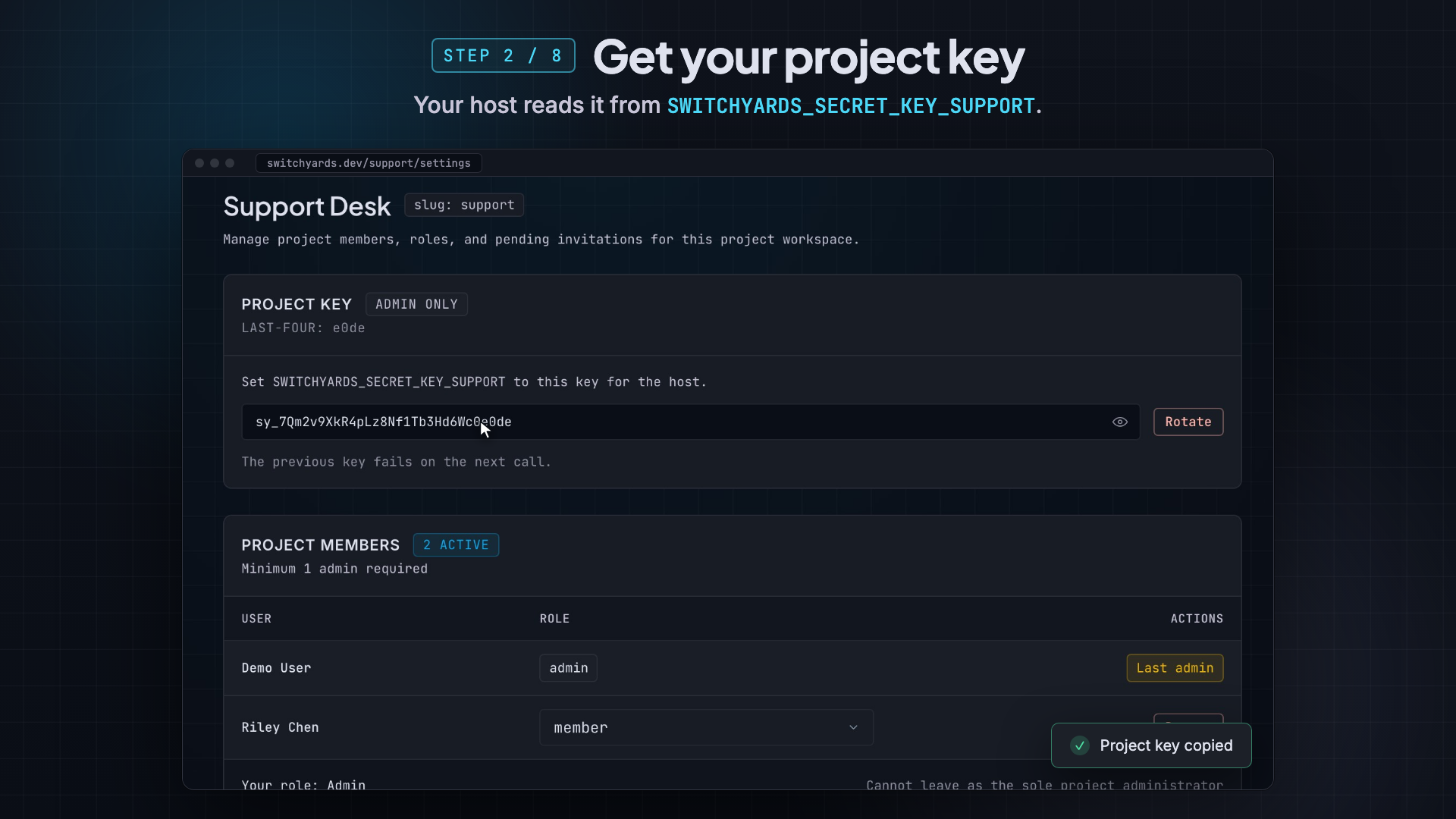
Copy the project key
Open Project settings and copy the host key. The env name is SWITCHYARDS_SECRET_KEY_ plus the project slug in uppercase, for example SWITCHYARDS_SECRET_KEY_SUPPORT.
- 03
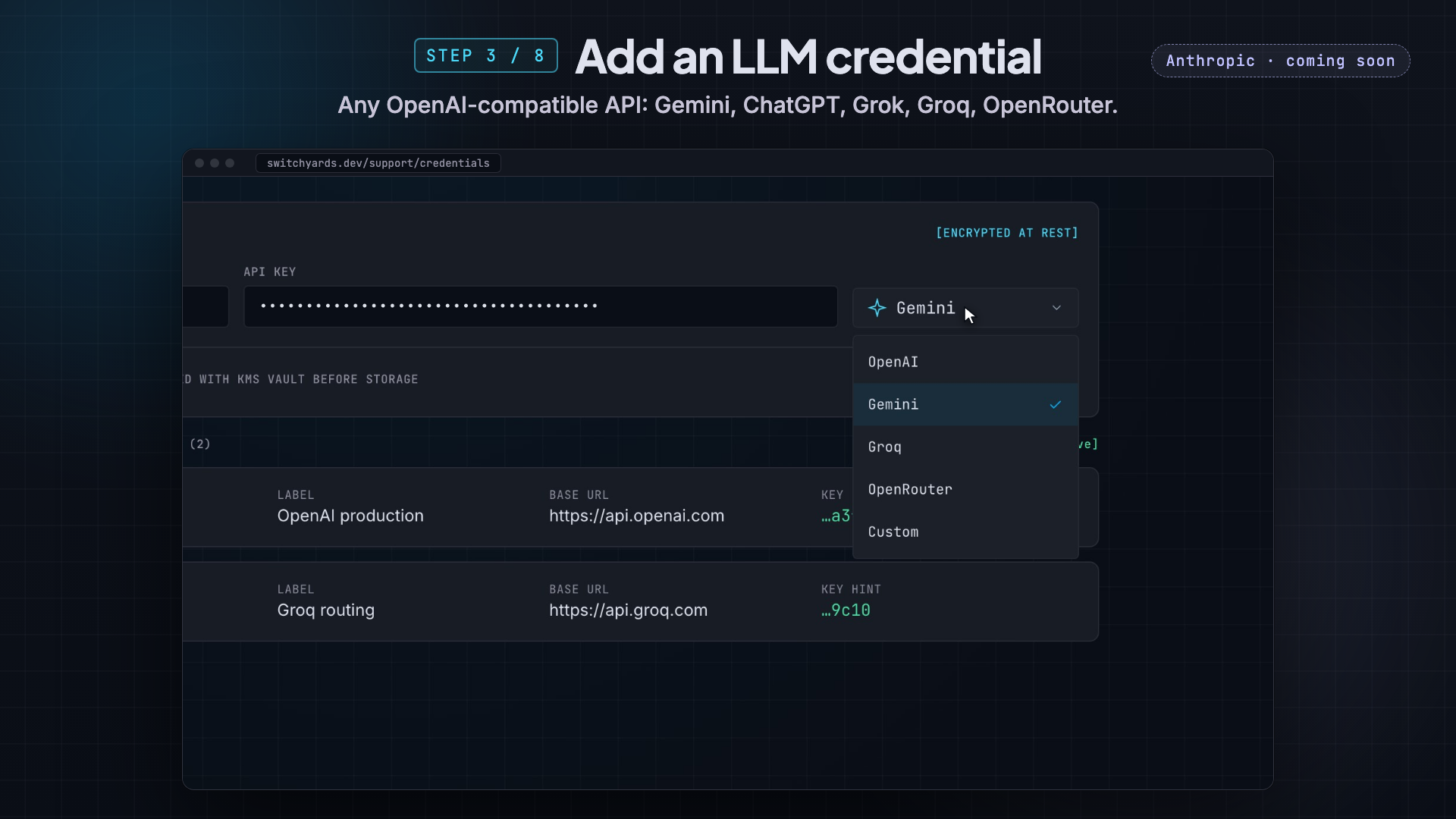
Save a provider credential
Admins paste an OpenAI, Gemini, Groq, OpenRouter, or custom OpenAI-compatible key into Credentials. The vault stores it with AES-256-GCM. Anthropic is coming soon. The host never sees this key.
- 04
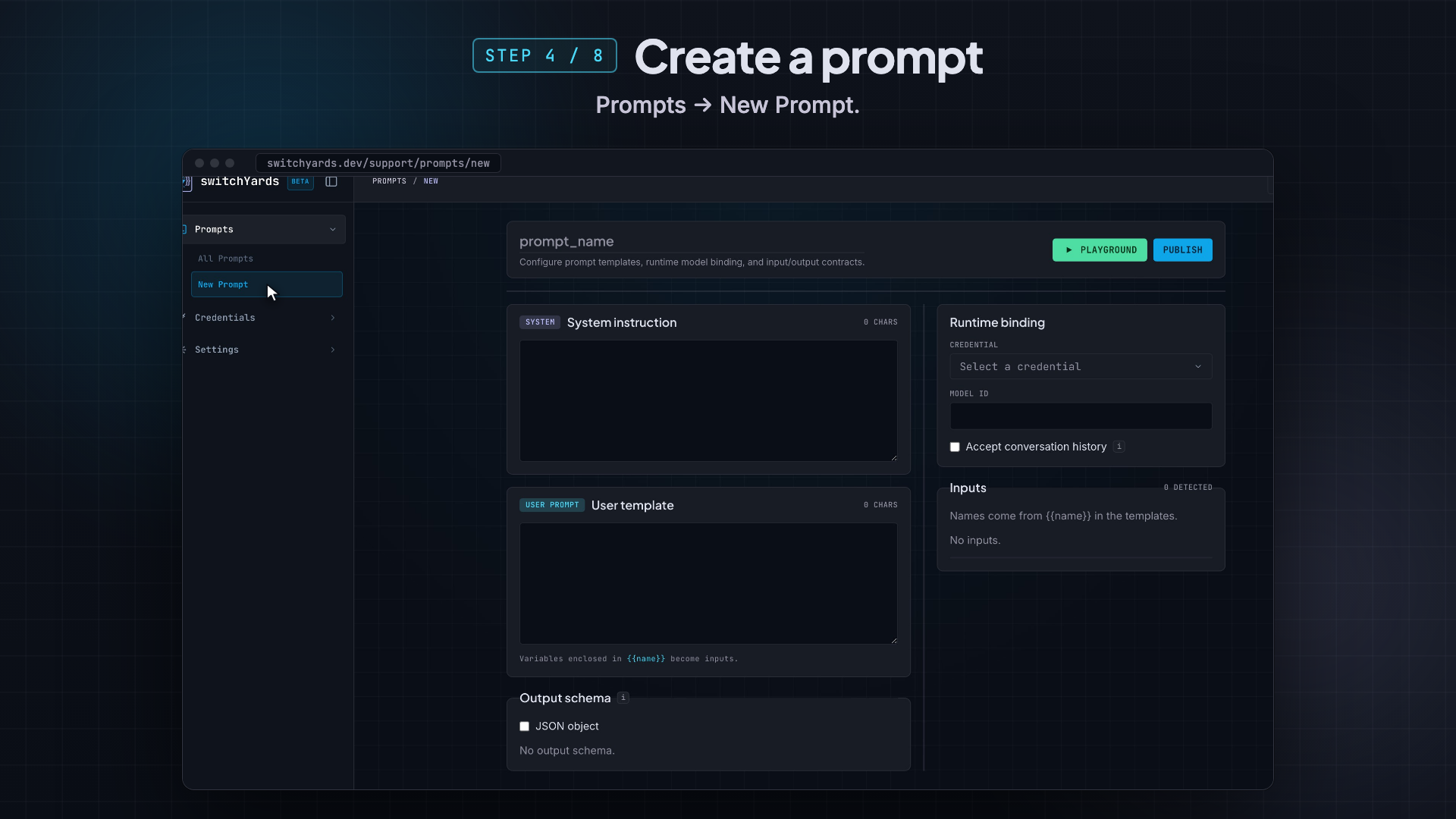
Create a prompt
Open Prompts and start a new prompt with a stable slug.
- 05
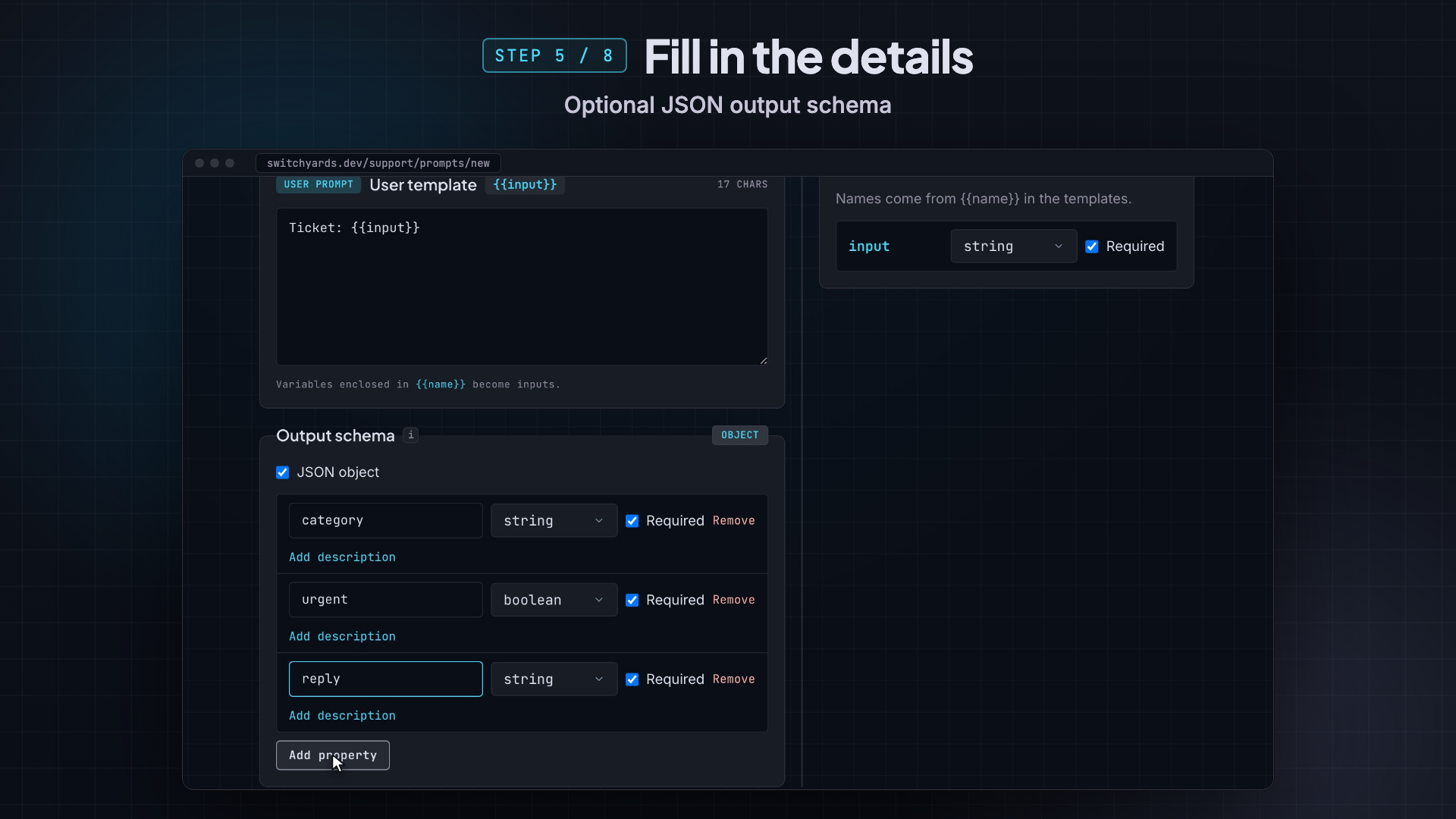
Write the contract
Add a system template, a user template with slots such as {{input}}, and a closed output schema. Bind the credential and model, then publish.
- 06
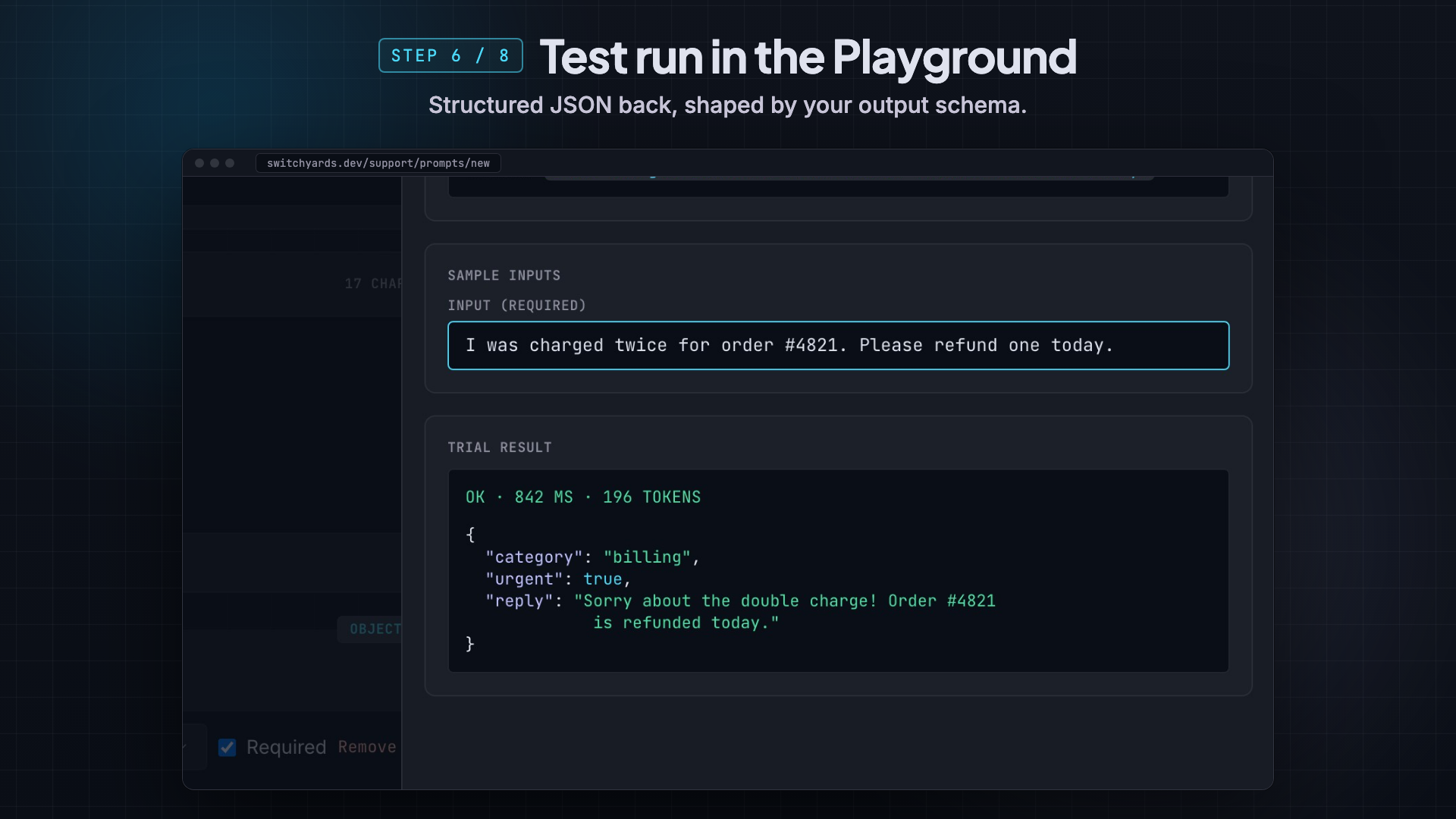
Trial in the Playground
Run a sample input against the unsaved draft. Playground is a trial. It does not write an execution.
- 07
Generate and call the host client
From the host repo, log in, init, and generate. Commit the generated tree with the host.
switchyards login
switchyards init --language ts
switchyards generate
import { Client } from "./switchyardsgen/client";

const client = Client.fromEnv();
const out = await client.support.triageTicket({ input });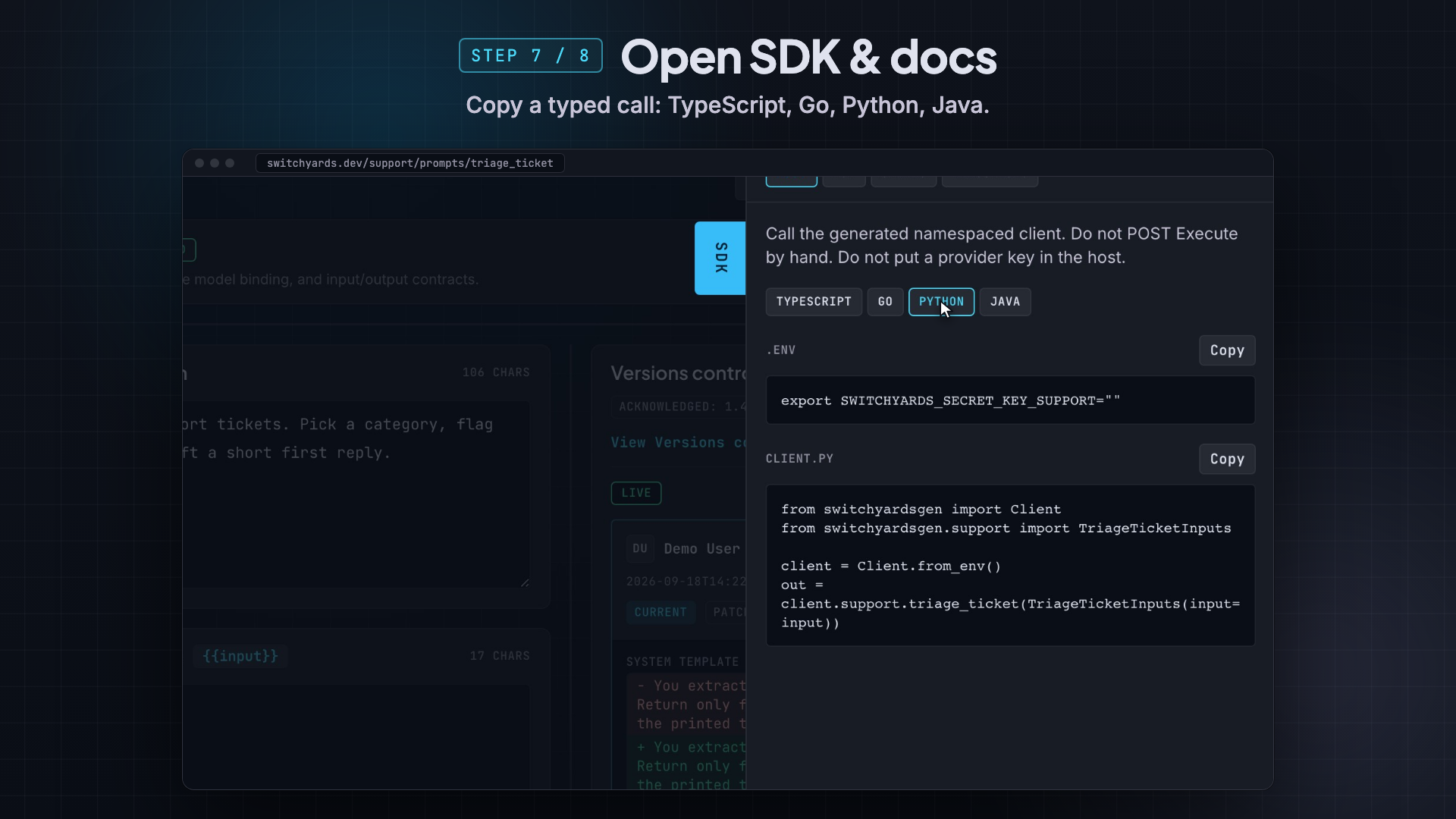
- 08
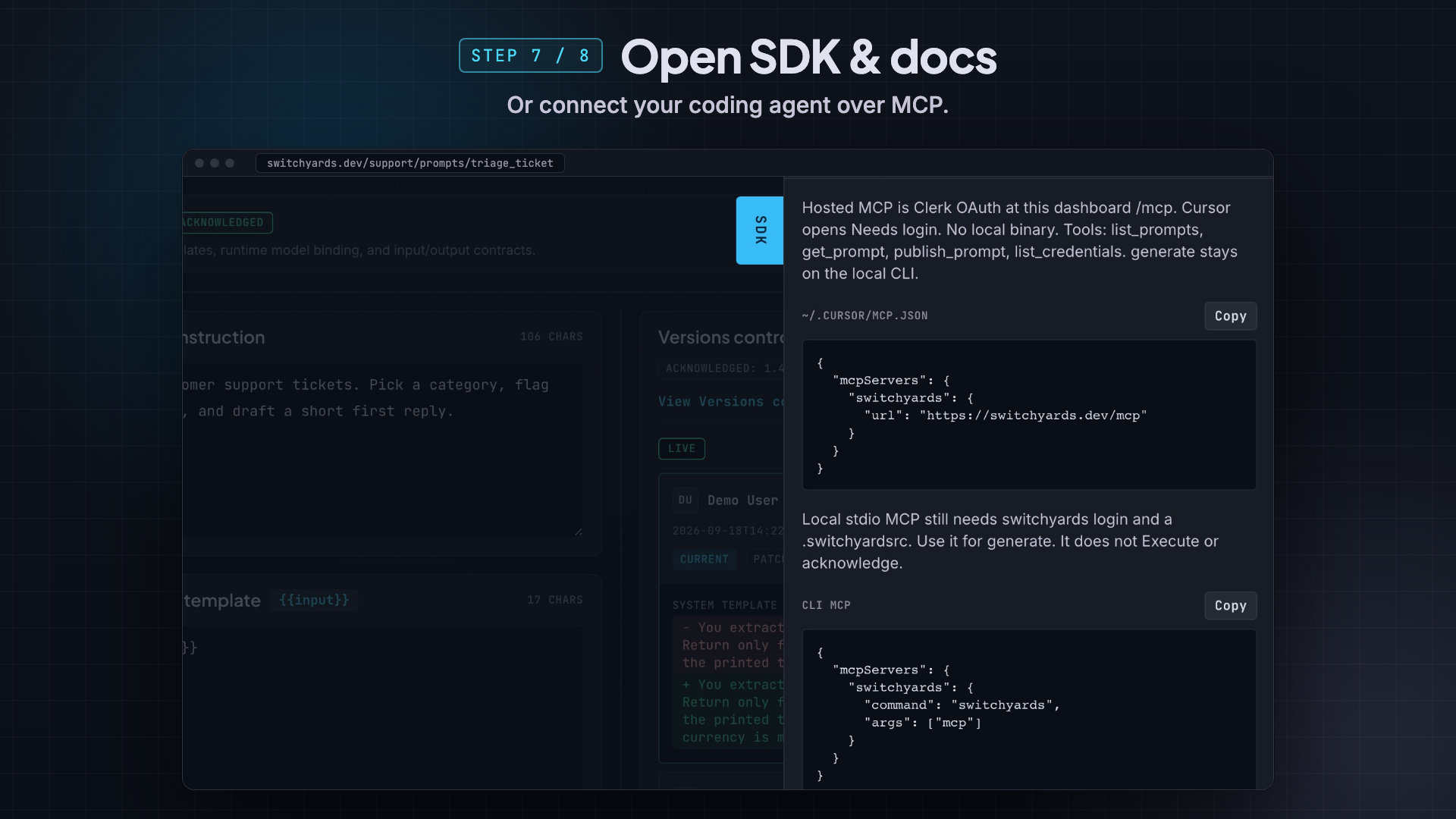
Connect hosted MCP
Cursor connects to https://switchyards.dev/mcp. generate stays on the local CLI.
{
  "mcpServers": {
    "switchyards": {
      "url": "https://switchyards.dev/mcp"
    }
  }
}